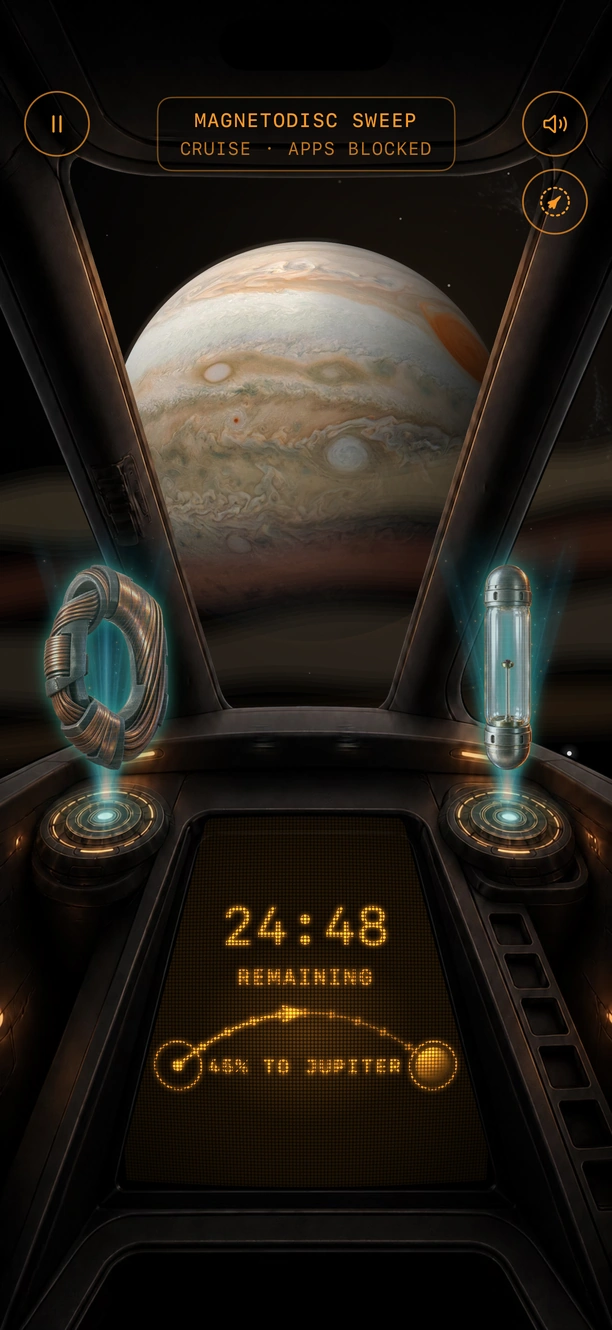
A session at Jupiter with apps blocked, two findings on the projectors, 24:48 remaining and 45 percent of the way there

A focus timer and app blocker for iPhone

Close the apps that pull you away. Fly your ship to the next planet.

Pick the apps that stay closed and focus for 15 to 90 minutes. Every minute moves your ship a little further out, and each session you finish brings back something from the place you reached.

Free on the App StoreDownload for iPhone
QR code that opens Quiet Orbit on the App StoreOn a Mac? Scan with your iPhone.

Free on iPhone · Earth and the Moon included · Blocking never costs extra

Rated 5.0 on the App Store

Click the screen to take a closer look

  • App blocking is optional
  • Pause or stop whenever
  • Your minutes are never erased
  • Which apps you block stays on your iPhone

How it works

Two choices and a hold. Then your phone stays quiet until you're done.

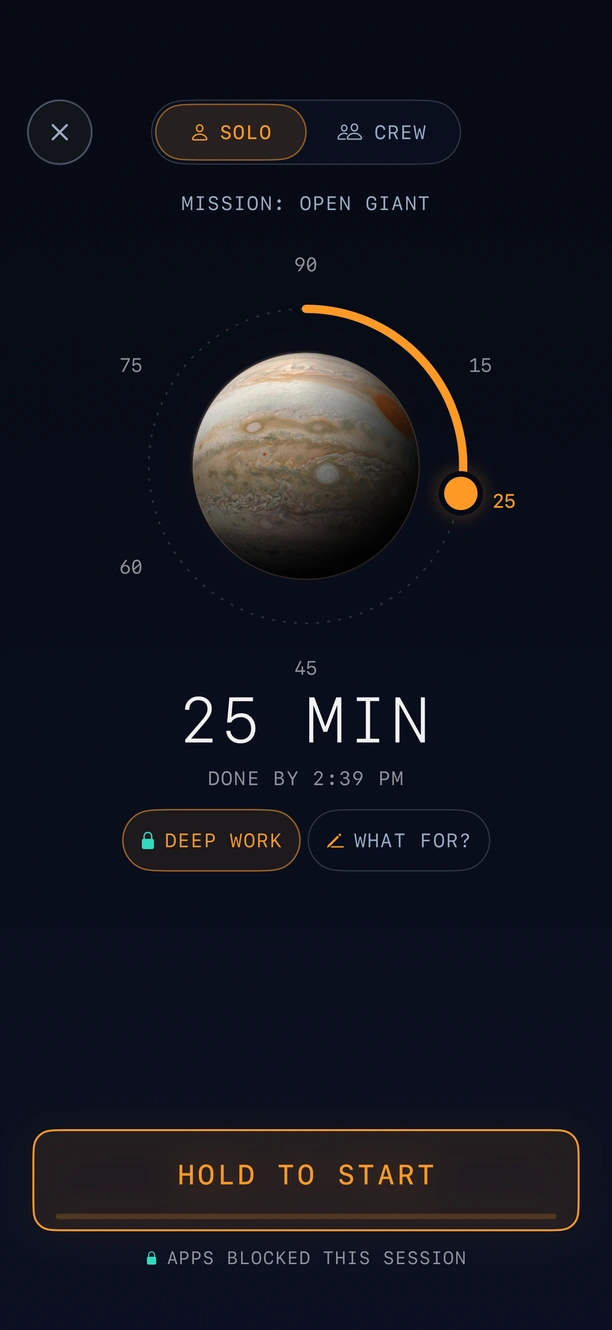
  1. Setting up a session at Jupiter: Solo or Crew, a dial set to 25 minutes, the Deep Work setup with apps blocked, a line for what you're working on, and the hold-to-start bar
  2. A session at Jupiter with apps blocked, two findings on the projectors, 24:48 remaining and 45 percent of the way there
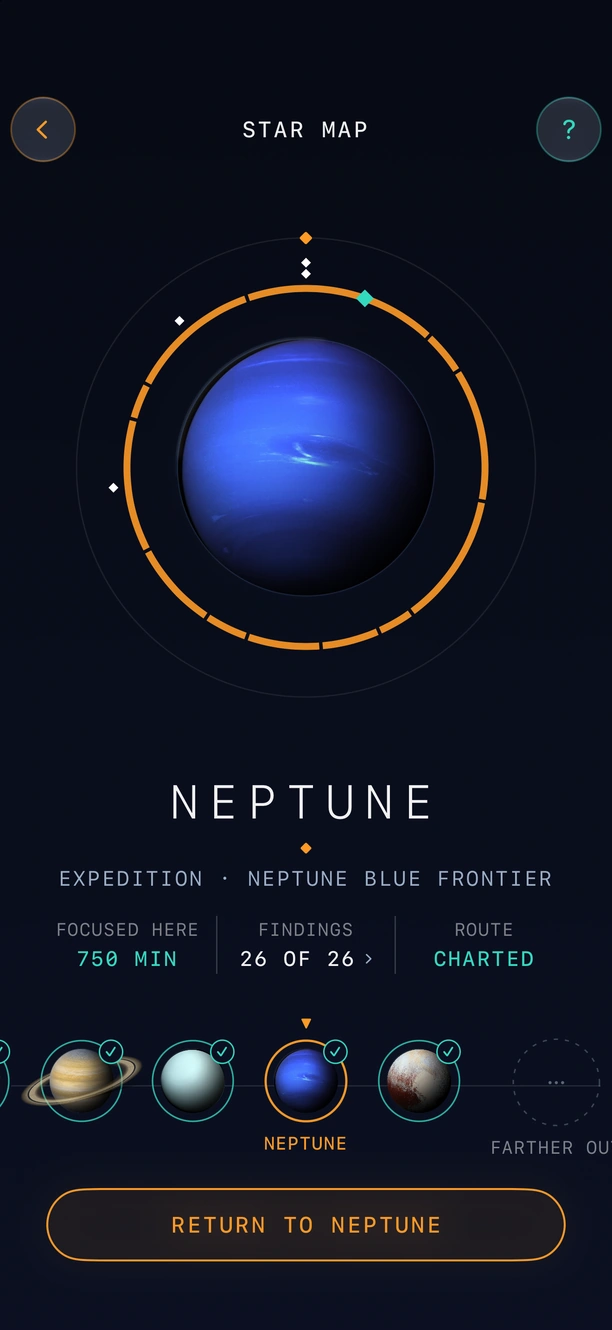
  3. The map of the solar system at Neptune: 750 minutes spent there, the route charted and the next worlds lined up along the bottom
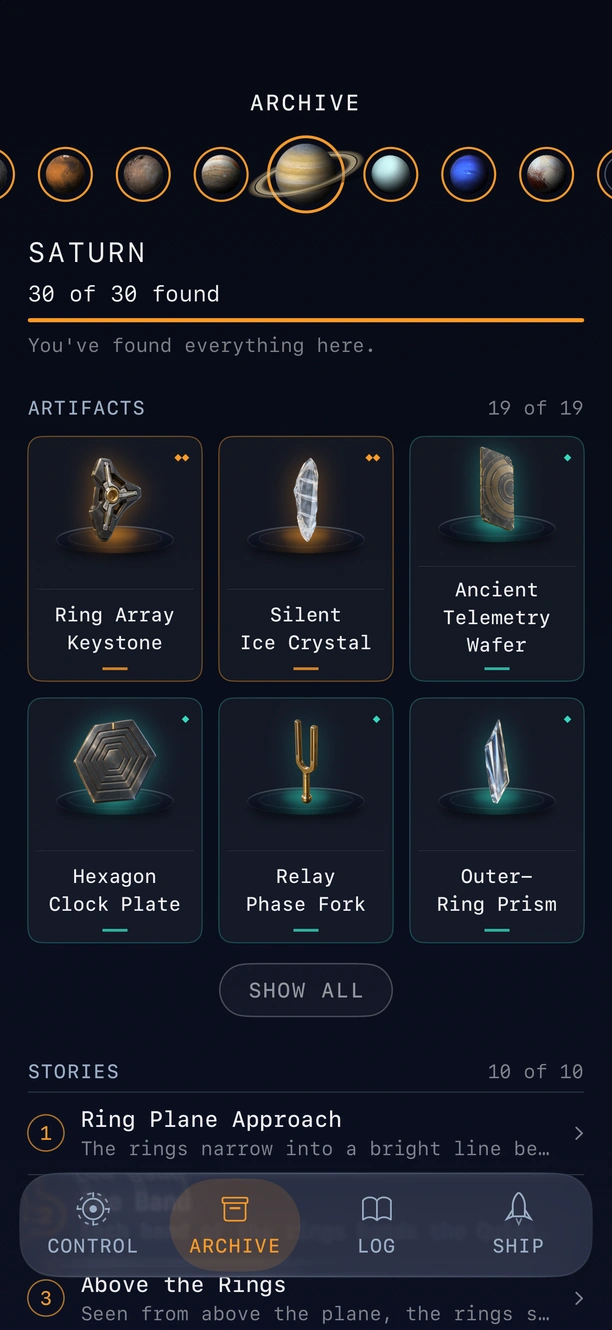
  4. The collection at Saturn: all 30 found, with the artifacts, the story records and the sounds of the world
Setting up a session at Jupiter: Solo or Crew, a dial set to 25 minutes, the Deep Work setup with apps blocked, a line for what you're working on, and the hold-to-start bar
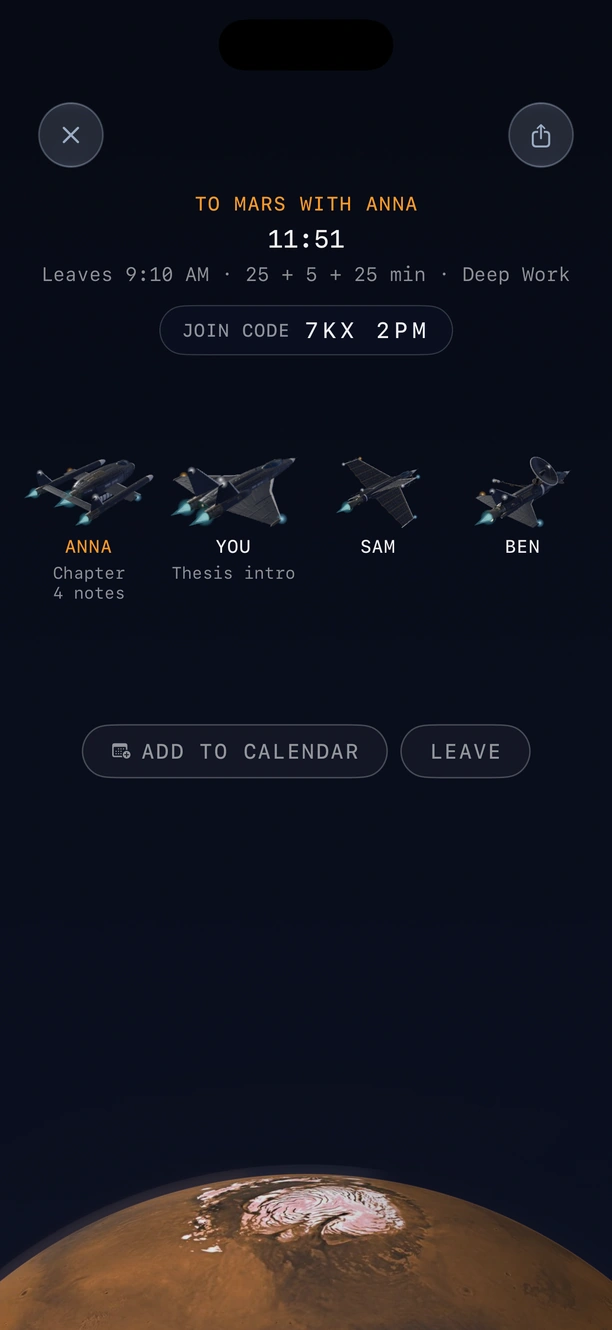
Boarding a session to Mars with Anna: eleven minutes to departure, a join code and four ships in a row named Anna, You, Sam and Ben
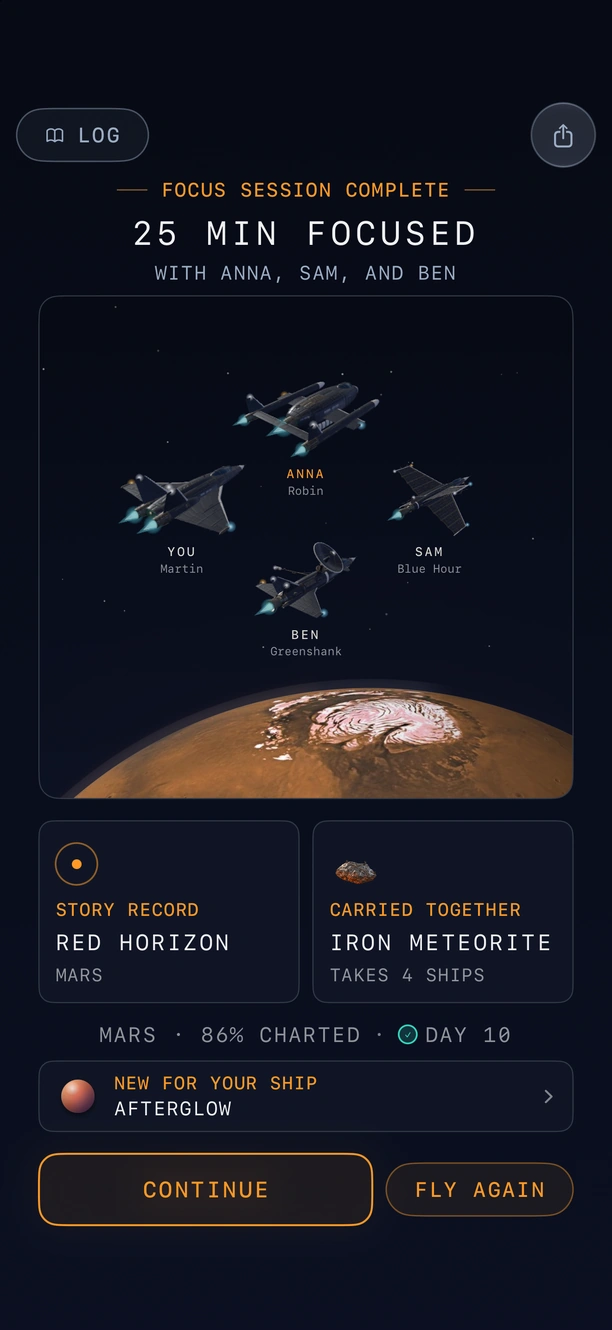
A finished session with Anna, Sam and Ben: 25 minutes focused, the crew's four ships over Mars, and the story record and carried object the session brought back
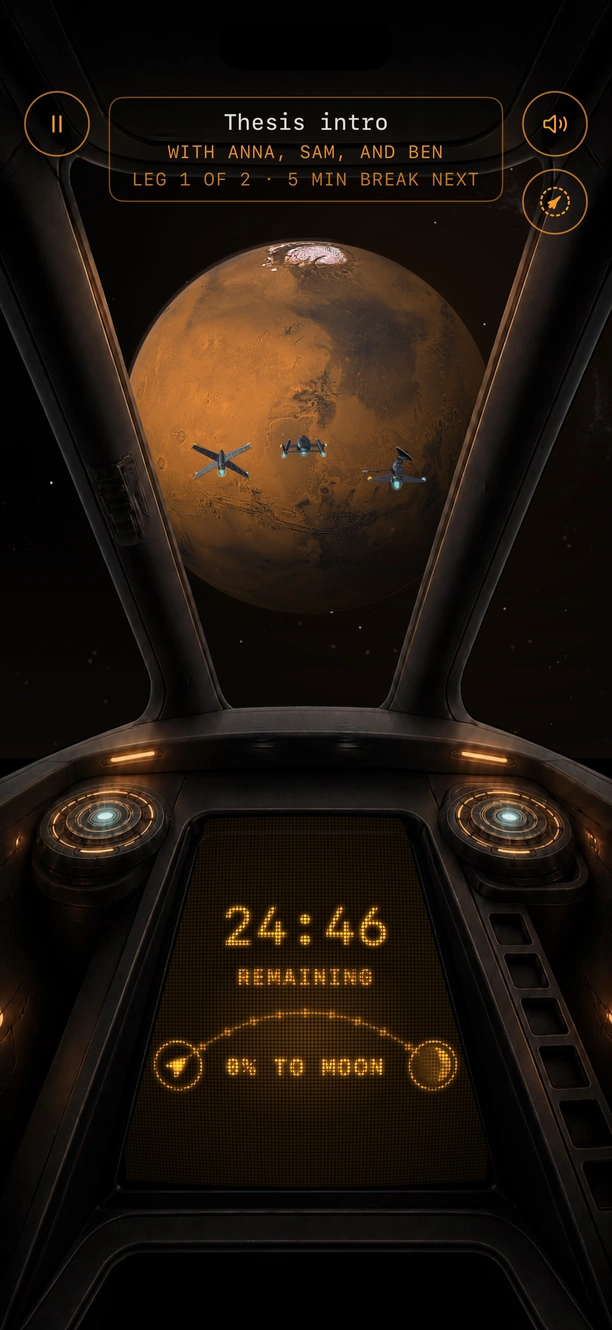
Flying together: the crew's ships beside yours in the cockpit window, Mars ahead and 24:46 remaining

Anna, Sam and Ben are a posed demo crew.

New in 2.0 · Fly together

Focus at the same time as your friends.

Pick a world and a time, and send a link. Everyone's phone starts at the same second, and your ships fly side by side.

  1. Pick a world and a time.Choose where you're flying and when you leave.
  2. Send the link or the six-character code.Up to three friends can join you.
  3. Everyone leaves at the same second.Every phone closes its apps and starts together. Your ships fly side by side, and on the shared break they park together.
  • Up to four people
  • Free to host and join
  • No account
  • Your minutes still go to your own route

What a session brings back

You never come back empty-handed.

Finish a session and the first thing you see is what you found: an object picked up along the route, a page from the ship's log, or the sound of the place you've just reached. Everything you find is kept, and your favorites go on display in the ship.

  • 238findings, each with its own name, story and rarity
  • 11worlds, Earth out to Pluto
  • 33objects only a crew can bring home
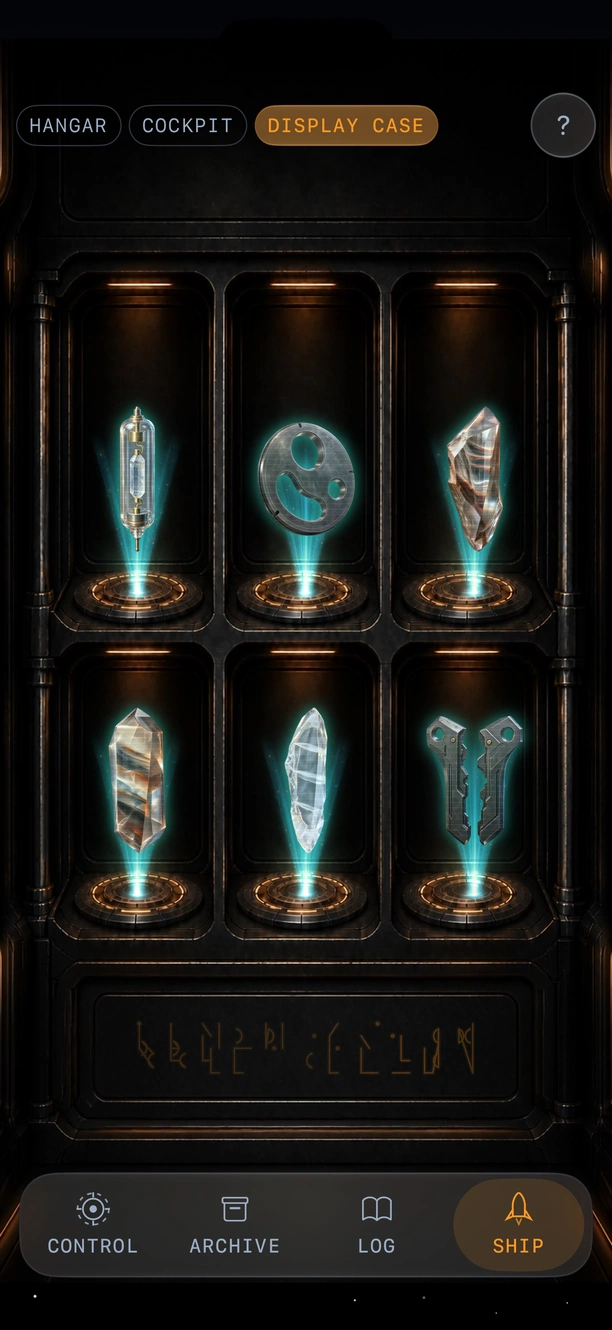
The Display Case in the ship: six findings lit on their stands
The collection at Saturn: all 30 found, with the artifacts and the story records
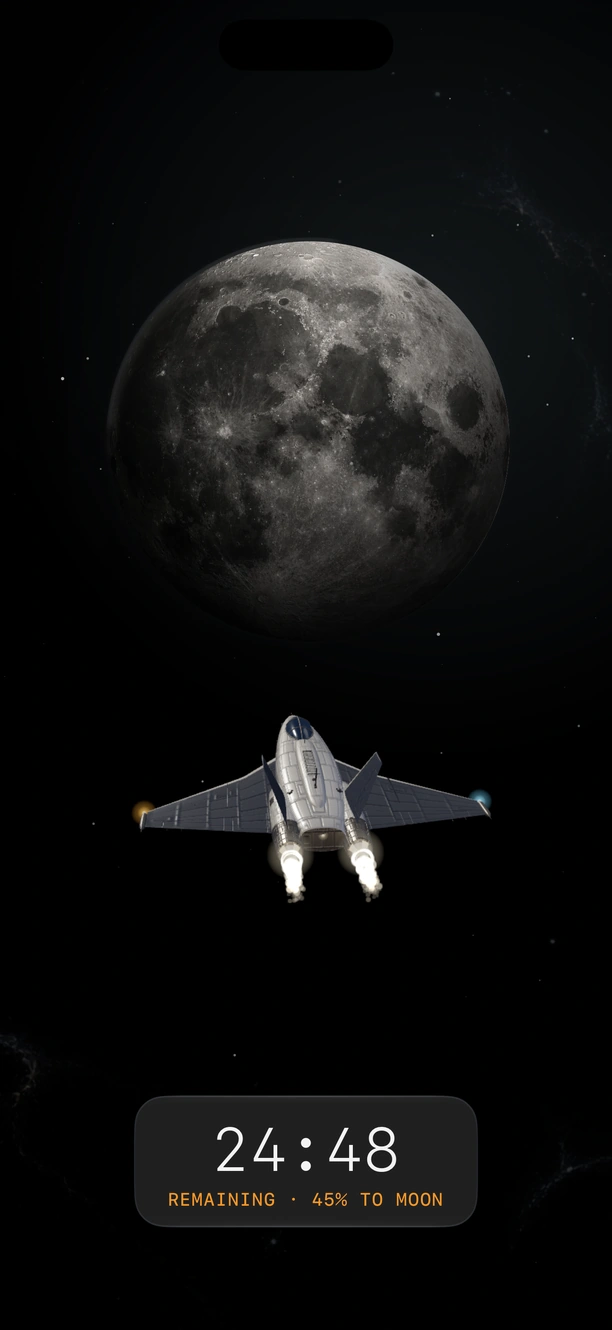
Your ship seen from outside on its way to the Moon, 24:48 remaining and 45 percent of the way there
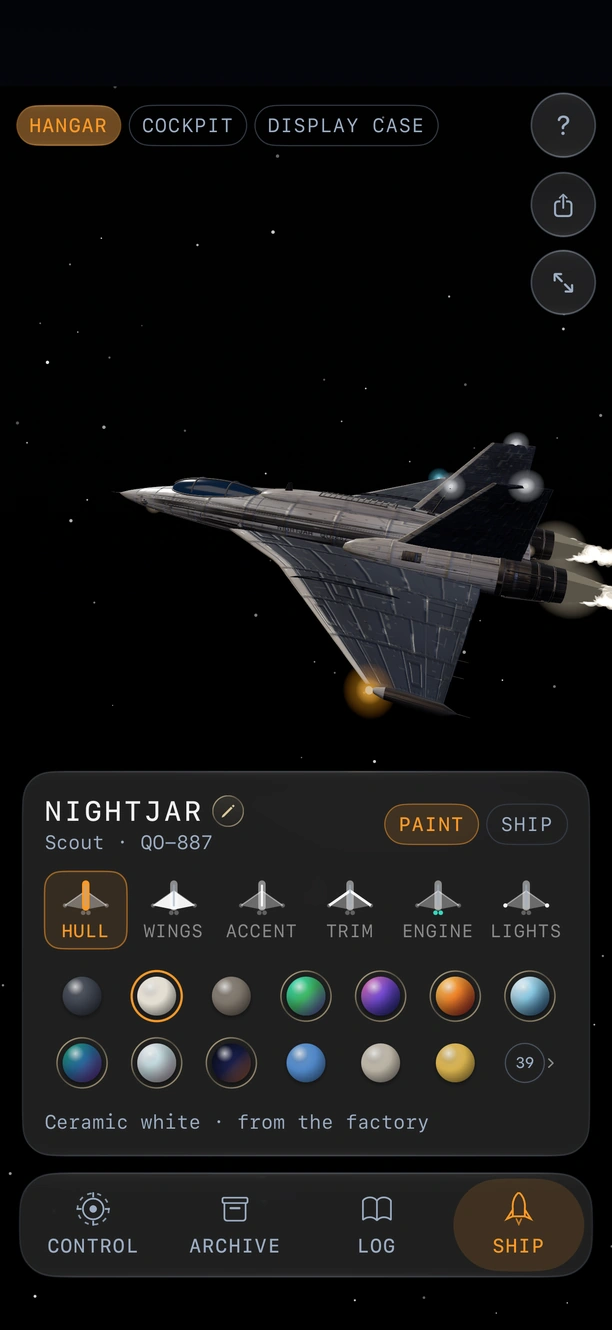
The Hangar: a ship called Nightjar over the paint row, with the hull, wings, accent, trim, engine and lights to choose

Your ship

Paint it. Name it. Watch it fly.

Every world you finish adds its colors, and badges and flights bring more. New ships take shape one session at a time. Watch yours from behind for free, or from five more cameras with Premium.

  • 9 ships
  • Paints from every world
  • Six camera angles
"Since the new update, where you can customize your own ship, I use it a lot more often."
DrDonner, App Store, October 2026. Translated from Dutch.

And the rest

Made to be left alone, and still be there when you come back.

  • Your week on one sheet

    Hours, best days and what you brought back, ready to read every Sunday.

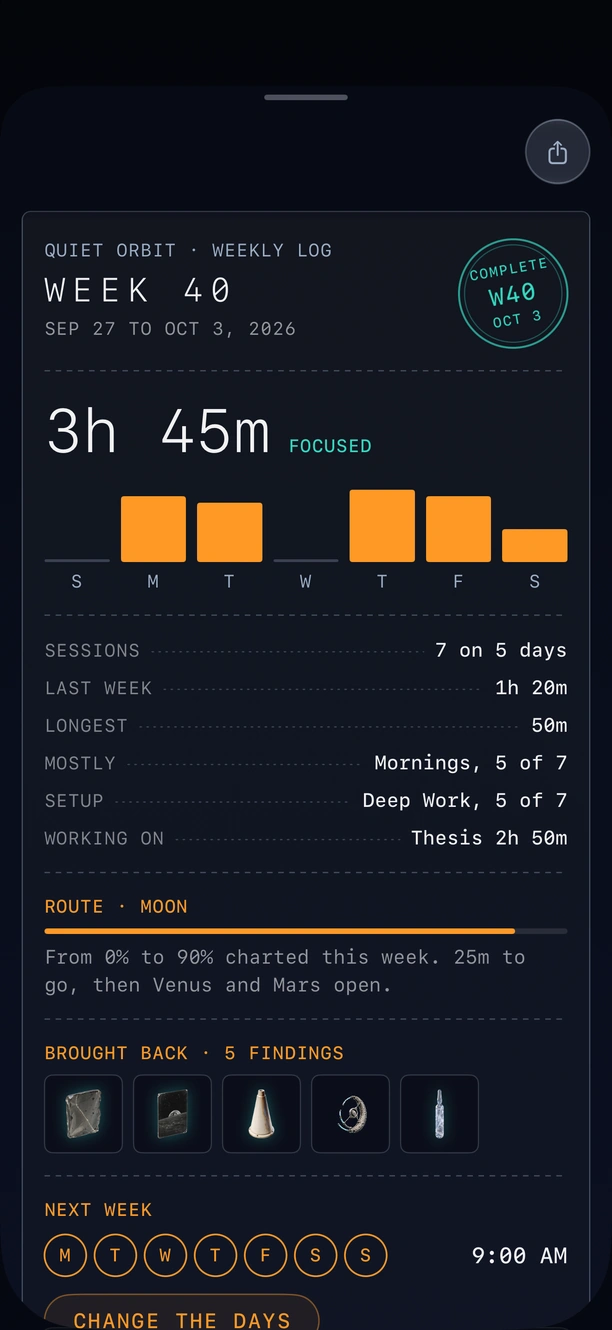
    The weekly log for week 40: 3 hours 45 minutes focused, a bar for each day, the route and what the week brought back
  • Start from the Lock Screen

    A live timer sits on the Lock Screen, and a session can begin from there too.

  • A backup every day

    Once a day, a copy of your progress is saved to iCloud Drive. Save one to Files yourself, or restore from one, any time.

  • Eight languages

    The whole app, every finding included, in the language your phone speaks.

    • English
    • Nederlands
    • Tiếng Việt
    • Español
    • Deutsch
    • Français
    • 日本語
    • 한국어

Just shipped

An app that keeps getting better.

  • 2.0 October 2026

    Fly together: focus with friends, your ships side by side

    Invite up to three friends. You start at the same minute and fly side by side.

  • 1.7 October 2026

    Quiet Orbit now speaks Dutch, Vietnamese and Spanish

    Pick a language in Settings, under Language, or keep your iPhone's.

  • 1.6 October 2026

    Your ship gets a hangar, paint to earn, and a view from outside

    Paint it with the worlds you chart, badges and lucky finds. Premium adds two more ships.

Five-star reviews on the App Store

People download a focus timer. They keep Quiet Orbit.

5.0 out of 5
Average App Store rating

Great app!

The app feels super polished. I didn't expect to use it this much, but it's become one of my favorite focus tools. Love it.

pfookz · September 2026

5 stars!

Awesome! I've been looking for a focus app for a while. This is hands down my favorite!

Didi Kingzzz · September 2026

Awesome focus timer

Awesome timer that motivates you to use it through the collectibles and easy to setup.

Impossibleoreo · September 2026

A very useful app for Vietnamese people who put things off and need to focus

Quiet Orbit is my favorite focus app. A calm design, easy to use, and it never makes you feel punished when you miss a streak. Flexible app blocking, the space journey and the collection of findings make focusing light and enjoyable. Well worth a try!

1997akkwk · September 2026Translated from Vietnamese

I recommend!

Great app for staying focused and avoiding distractions. The space journey makes focusing surprisingly fun

Phiboe18 · September 2026

Plus a spaceship

I already used the app to focus now and then, but since the new update, where you can customize your own ship, I use it a lot more often. Now I can also watch my ship fly to my destination from the outside. So on the way I get to admire my own cool spaceship!

DrDonner · October 2026Translated from Dutch

Encouraging

Encouraging app to help me stop my phone addiction and actually become productive. Smart design also.

Fairy queen Iris · September 2026

Good focus

I managed to do a lot of work. Currently at level Moon. More to come!

Dividy Tech · September 2026

Included free

Everything you need to focus is free.

Earth and the Moon are two whole expeditions, and everything you need to actually focus comes with them. No timer behind a paywall, no streak held hostage.

Quiet Orbit Premium

Premium opens the rest of the solar system.

Nine more places to go, Venus out to Pluto, each with its own story, its own finds and its own sound. Whatever you bring back stays yours, even if Premium ends.

Everything that helps you focus is free. Premium makes the map bigger, and it never takes anything away.

FreePremium
Focus sessions of 15 to 90 minutesIncludedIncluded
Block the apps you choose, with protected breaksIncludedIncluded
Reminders, streaks and 33 badgesIncludedIncluded
Your whole session historyIncludedIncluded
A live timer on your Lock Screen, and a weekly widgetIncludedIncluded
A Home Screen icon for every destination you finishIncludedIncluded
Watch your ship fly while you focusFrom behindSix cameras, two of them moving: one circles your ship, one lets it fly past
Places to goEarth and the MoonAll eleven, Venus out to Pluto
Saved setupsThreeAs many as your week needs
Background soundThe hum of the cabin, and the sound of Earth and the Moon once you reach themBrown, pink and white noise, rain, ocean, wind, and the sound of every place you reach
Your shipPaint it in the colors you earn, and earn new ships as you goTwo more ships from day one, seven gradient paints, a name of your own and places to dock
Session notes·Included
Next session widget·Included
Trends·14 days, 12 weeks or 12 months, when you focus best, your records, and how each setup is going

Anything you've earned stays yours if Premium ends. Prices are shown in the app, in your own currency.

  • No account

    Nothing to sign up for.

    You never create one, and we never hold a username, an email address or a password for you.

  • No ads

    No ads, no tracking across apps.

    Quiet Orbit is free to use, and you pay only if you want Premium. There are no ads and no cross-app tracking.

  • On your iPhone

    Your block list never leaves it.

    Blocking runs through Apple's Screen Time, and which apps you picked stays on your iPhone.

Before you start

A few things people ask.

Something else? The Support page has the longer answers.

It's on the App Store, free, for iPhone on iOS 18 or later. Install it, pick a length and the apps that stay closed, and your first session starts in Earth orbit.
Quiet Orbit is a free focus timer and app blocker for iPhone, made by Zeus Apps in the Netherlands: pick the apps that stay closed, then focus for 15 to 90 minutes. Every minute you focus flies your ship closer to the next world, Earth out to Pluto, and each session you finish turns up a finding: an object, a record or a sound from the place you reached.

Yes, through Apple's own Screen Time, and which apps you picked never leaves your iPhone. It's optional. When a session ends it lifts as soon as you open Quiet Orbit, or on its own about 20 minutes later. Leave it off and the timer works just the same.

Yes. You choose exactly which apps close, and everything else stays open: music, maps, messages, whatever the work needs. Change the list any time between sessions.

Yes. One friend picks a world and a time and shares a link or a six-character code. Up to four phones leave at the same second, your ships fly side by side, and hosting and joining are both free.

Yes, and not the kind of free that hides the timer. Earth and the Moon are two whole expeditions, and nothing about focusing costs anything: every session length, app blocking, breaks, reminders, the weekly widget, your whole history, all 33 badges, and your ship with every color and ship you earn.

English, Dutch, Vietnamese, Spanish, German, French, Japanese and Korean. Every screen and every finding is translated, and it follows your iPhone's language unless you pick another in Settings.

You keep every minute you'd already focused. The only thing that waits is the finding, which needs a session you see through. Nothing's erased, and nobody scolds you.

One quiet notification, and that's it. No alarm, nothing to dismiss. The ship waits until you come back.

Nine more places, Venus out to Pluto, each with its own story and sound. Two more ships and seven gradient paints, six more background sounds, unlimited setups, session notes, the next-session widget, and trends over 14 days, 12 weeks or 12 months with your records. Anything you've earned stays yours if Premium ends.

Your progress syncs through your own iCloud, and a backup is saved to iCloud Drive once a day. You can also save a backup file to Files and restore from it on the new iPhone.

In the US it's $3.99 a month, $19.99 a year, or $39.99 once to keep it for good. Prices differ by country, and the App Store shows yours before you pay.

Quiet Orbit app icon

Ready when you are

Fifteen quiet minutes is enough to start.

Begin in Earth orbit, one session at a time.

Free on the App StoreDownload for iPhone
QR code that opens Quiet Orbit on the App StoreReading this on a Mac?
Point your iPhone here.